
How to call your clients
As well as accessing the call button in the clients file, Physitrack also allows you to call your client directly from the patients profile.
- Click on the "Patients" button to the top left corner of the page.
- Select a client from your Physitrack caseload. (You can also test your camera prior to a call by clicking "Telehealth system test").
-
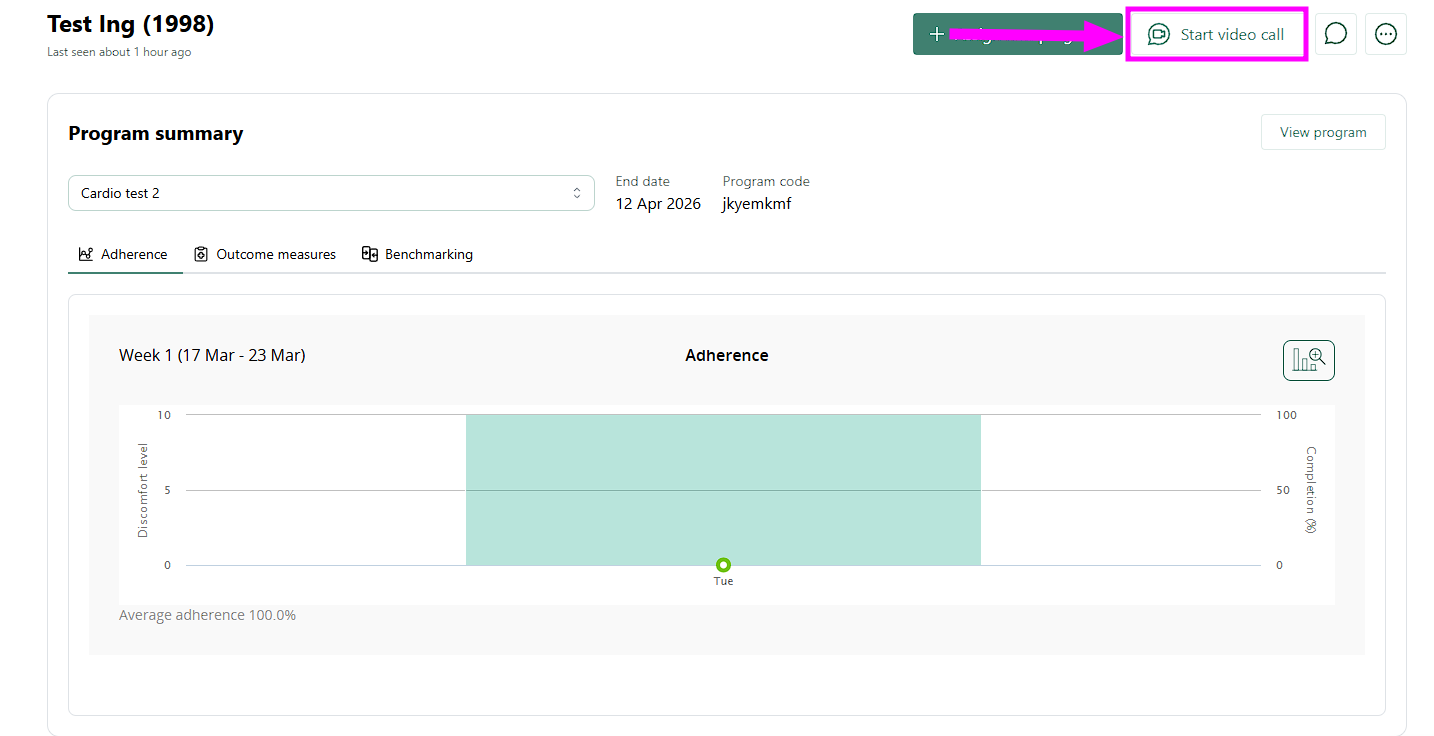
After you have selected a patient, click the "Start video call" button. If a client’s email address is provided in their Physitrack client account, you can send on-boarding instructions prior to the call.
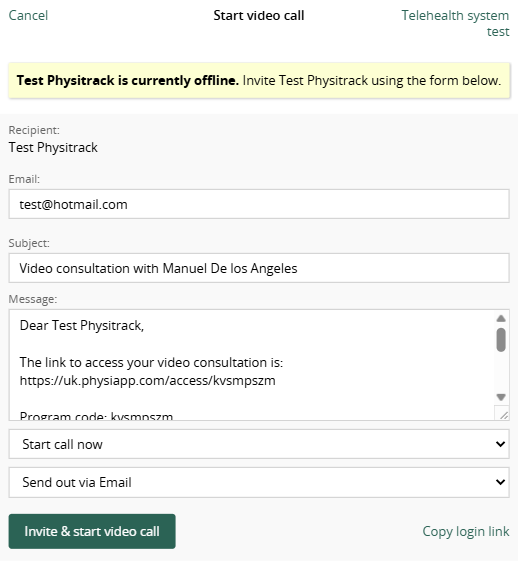
- If your client is not logged on to their PhysiApp account, a pop-up box will appear asking you to send an email reminding them of their appointment. This message will automatically contain their access code.
-
Await your clients arrival to the call in this window.
Note: Physitrack Telehealth is available as an add-on to your monthly Physitrack subscription. Full details of our packages, take a look at the document here.
