
Custom exercise in PhysiAssistant
With PhysiAssistant, you can easily record and upload a custom exercise that will be saved on your account to assign to patient programmes.
In order to create a custom exercise in PhysiAssistant, check the instructions below:
- Log in to PhysiAssistant with your Physitrack account information.
- Since a custom exercise can only be created when assigning a programme, follow the assign process (Assign a programme with PhysiAssistant) up until the point where you see the play button and select it.
-
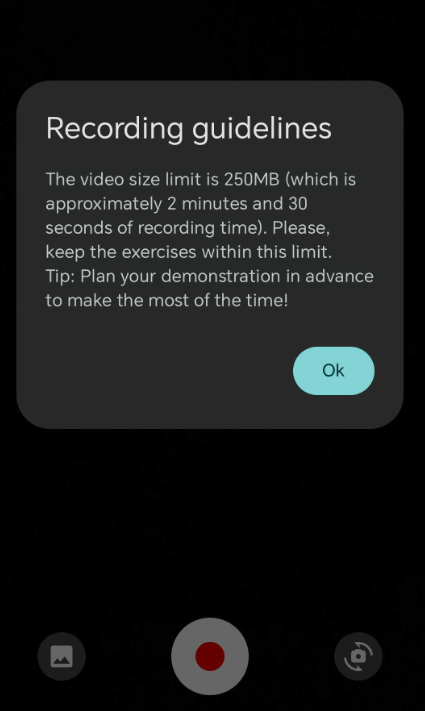
Once selected, the recording guidelines will be shown:
-
You can start recording, or choose to upload a video in your phone gallery

-
Once you have recorded or selected a video to upload, it will be displayed, you can choose to retake it, proceed or edit it. Should you select to edit it, you can drag the white borders to edit the video length.
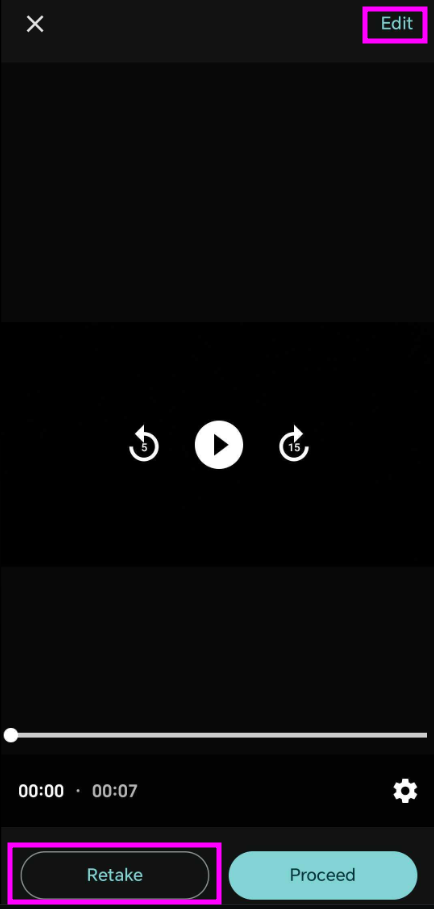

- After proceeding, you will be asked to input a name for the exercise and select a specialty, you can also customize instructions and parameters and enable the option "Patient featured" if a patient is featured in the video (which will indicate the patient to whom the exercise is being assigned).


- Finally, select "Add exercise" and the exercise will be saved in your library both in PhysiAssistant and Physitrack.
FAQ
-Can I upload pictures or images as custom exercises? No. Currently, you can not upload pictures or images as custom exercises using PhysiAssistant, this can only be done via Physitrack: Add your own exercises and educational content
-Can I create a custom exercise without going through the assignment process? No. Currently, the only way to upload/create a custom exercise in PhysiAssistant is to go through the assignment process.