
Assign a programme with PhysiAssistant
You can assign exercise programmes to your patients using PhysiAssistant quickly and easily. This guide explains how to select and assign a programme to a patient.
- Log in to PhysiAssistant with your Physitrack account information.
-
Select the patient you wish to assign a programme (if you have no patients created, check here on how to do so: How to add a patient in PhysiAssistant)
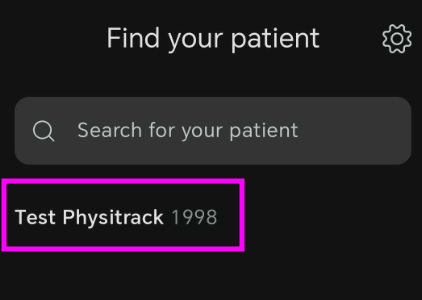
- Once you have selected the patient, tap on "Assign"
-
Search and select the desired exercises for the patient. You can add and remove them by tapping them or by selecting the display grid at the bottom left to see all selected exercises. You can also record an exercise by clicking the play button at the bottom right corner (check here for more details about custom exercises: Custom exercise in PhysiAssistant)
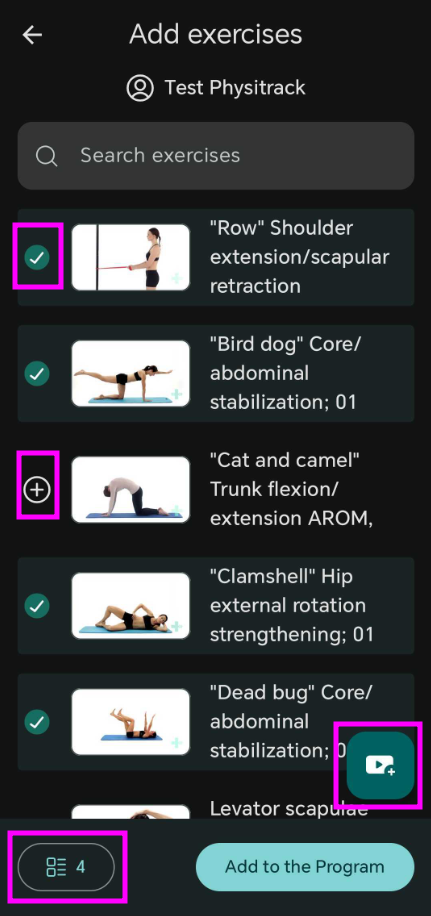
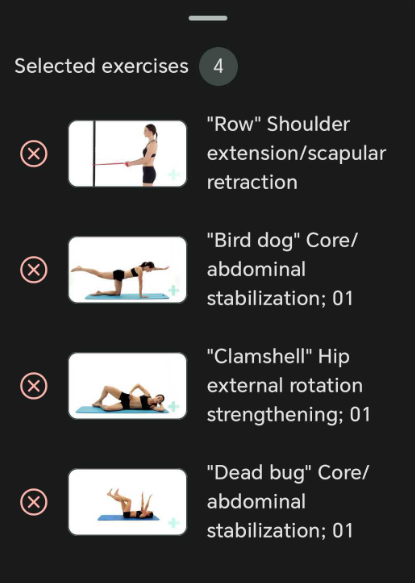
- Once all exercises have been selected, tap on "Add to the Program"
-
The selected exercises will be displayed, and there you can do the following:
-Edit the exercise order by clicking on "Edit" there you can rearrange the order
-Edit the exercise parameters by selecting the pencil icon, you can add or edit parameters and instructions


-
Finally, set the duration on the programme and choose to enable adherence tracking and tap on assign.
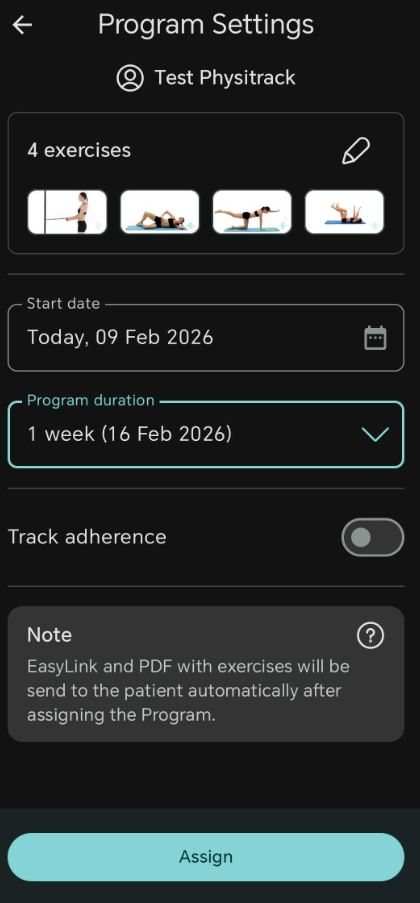
- Once the programme has been assigned, it will be sent to the patient's email or you can provide them the code or have them scan the generated QR code.

FAQ
-Can I edit an assigned programme in PhysiAssistant? No. Currently, the only way to edit programmes is via the Physitrack website, as PhysiAssistant can only assign programmes at this time.
-Can I add more exercises to a patient I've already assigned a programme to? Yes. If a patient has already been assigned exercises via Physitrack or PhysiAssistant, you can still add more exercises, and they will be reflected on PhysiApp.