
How to add a patient in PhysiAssistant
You can add a new patient to PhysiAssistant quickly and easily. Adding a patient allows you to assign programmes.
Step-by-Step: Add a Patient
- Log in to PhysiAssistant with your Physitrack account information.
- Once you have logged in, you will see a list displaying all your patients if you have any already.
-
To add a patient, you have to tap on the bottom right corner on the "+" sign

-
Then you will be able to add all the patient information (the email is optional)
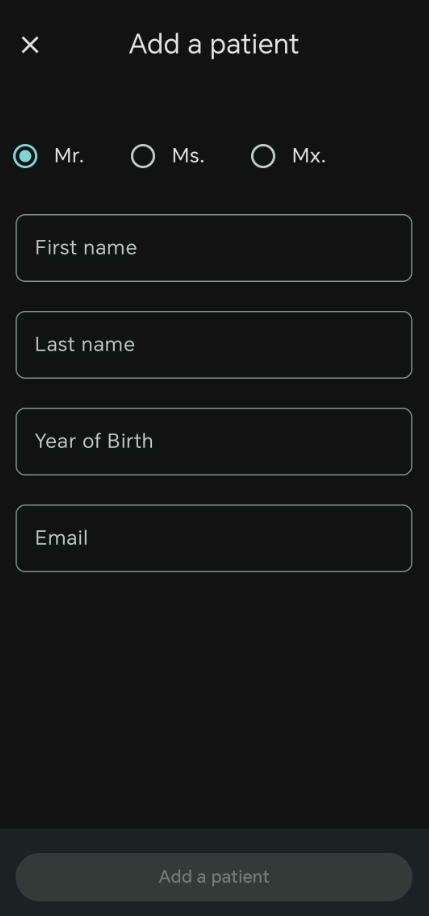
- Once completed tap on "Add patient" and the patient will be created and ready to be assigned an exercise.


If you wish to know how to assign a programme, feel free to check this article: Assign a programme with PhysiAssistant