
Multi-language library
Physitrack now supports library filters based on language. This feature lets you filter Exercises, Templates, and Education content by the languages available for your region.
Available languages depend on the server your account is on; you may see different language options compared to other users in a different country.
How Language Filtering Works
Languages are Based on Your Server
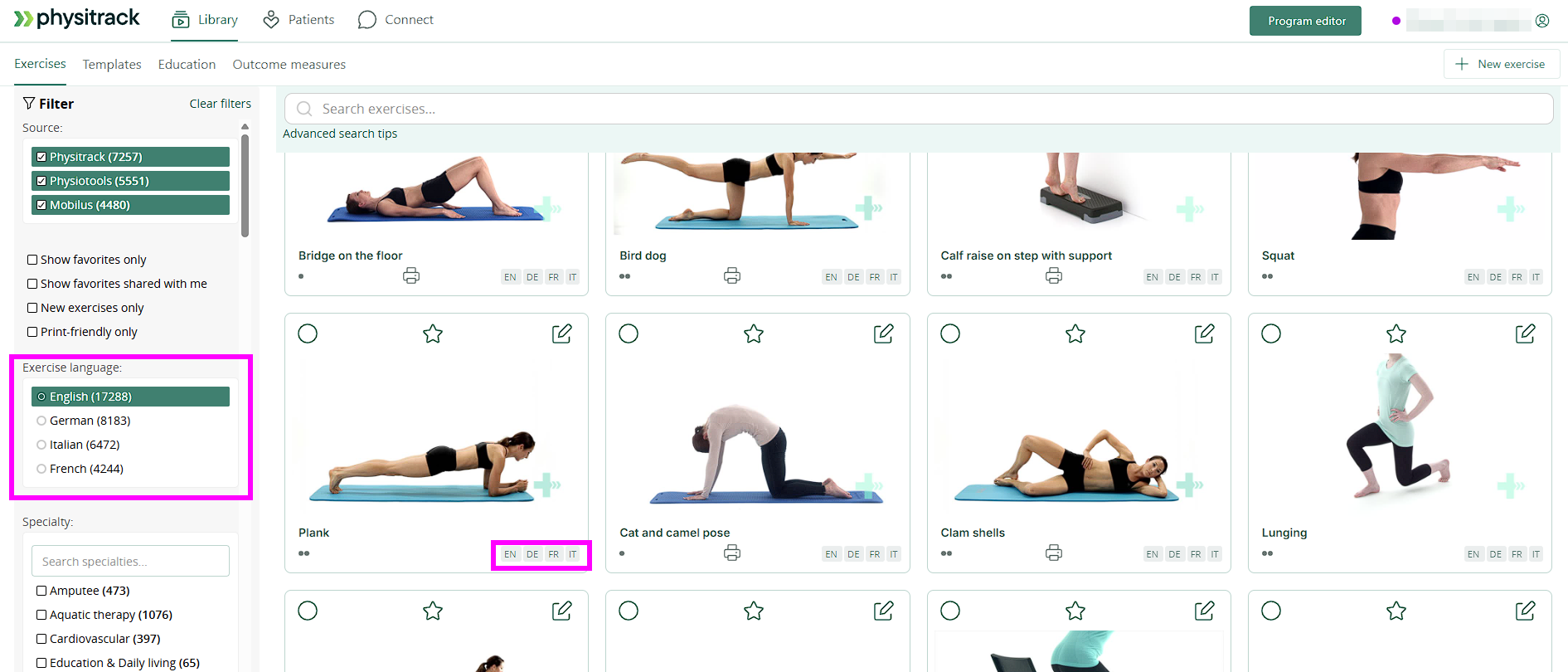
Each region has a set of available languages.
For example, on the Switzerland server, the available language filters include:
- English (EN)
- German (DE)
- Italian (IT)
- French (FR)
These are the languages users on that server can filter by. Other servers may have different options available.
Default Language Comes from Your Account
When you open your library, the filter will default to your account language.
This makes it easier to see content in the language you use most.
Changing the Language Filter
If you select a different language in the filter:
- The library will show content that includes the selected language.
- If a translation in your account language doesn’t exist, the content can be searched by selecting other languages, such as English (EN).
Filtering Means You Don't Need to Select a Video Language
There is no need to select a language in order to assign it to a patient. When you filter by your desired language, the library simply shows content tagged for that language in the library. The assignment process works the same when creating or assigning a new exercise or programme.
The translation happens on the patient's side. When a patient opens a programme, PhysiApp will display the exercise details in the language set on the patient's device language (OS language setting), so long as the language matches an existing translation on the filtered exercise.
What is translated?
When content is localized for a language, these parts are translated:
✔️ Title of the exercise
✔️ Instructions/exercise description text
✔️ Audio of the video (if available as part of localized content)
Important: Please be aware that this has only been released on the servers listed below.
| Physitrack server | Country |
| ca.physitrack.com | Canada |
| ch.physitrack.com | Switzerland |
| de.physitrack.com | Germany |
| fi.physitrack.com | Finland |
| it.physitrack.com | Italy |
| nl.physitrack.com | Netherlands |
| se.physitrack.com | Sweden |
| uk.physitrack.com | United Kingdom |
We are working on releasing this feature as well for these future servers listed below
| Physitrack server | Country |
| us.physitrack.com | USA |
| pl.physitrack.com | Poland |
| es.physitrack.com | Spain |
| br.physitrack.com | Brazil |
| id.physitrack.com | Indonesia |
How to use it
- Log in to your Physitrack account
-
In the filter section, you’ll see language options under “Exercise Language”.
-
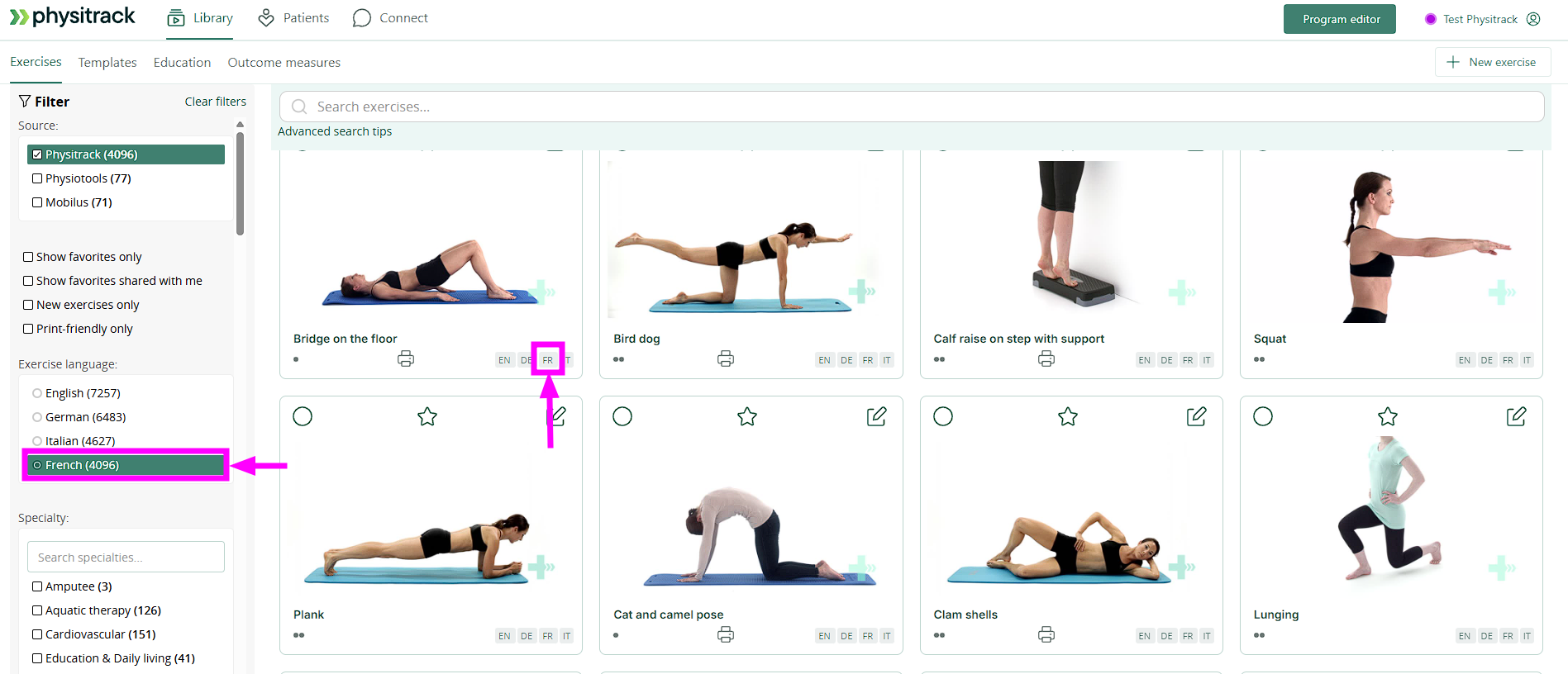
Select any language to filter available exercises, for example, in this case French, and all exercises shown will include the "FR" tag for the language
-
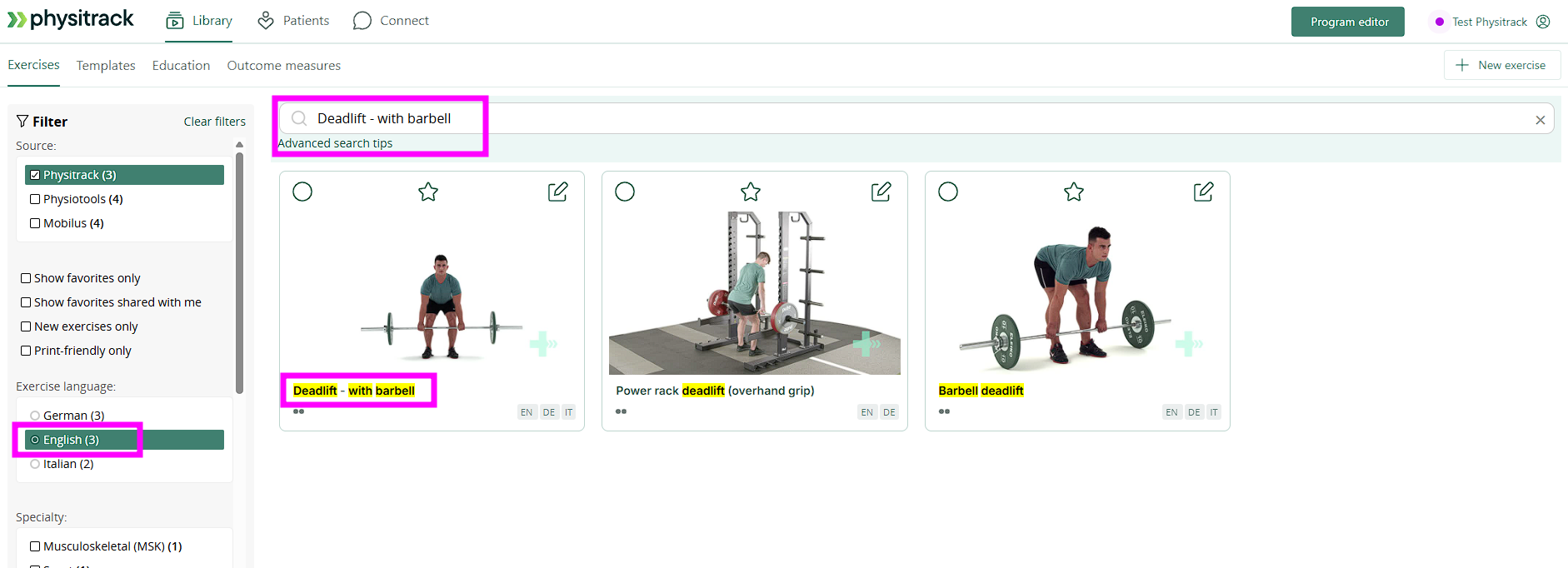
If an exercise isn’t found under one language, switch to another available language to search.
Using Language Filters When Creating a Programme
- Set the language you want to use first.
- Search and select exercises available in that language.
- If an exercise isn’t available in your selected language, switch to another language (e.g., English) to find and add it.
- Once you have added all exercises, proceed to edit and assign your programme as normal.
- You can also edit the language of instructions for each exercise, once translated save your changes so they reflect in the patient’s programme view.
Video example of the process
What Your Patient Sees
When your patient opens their assigned programme:
- They will see all exercises normally, even if in mixed languages.
- Exercises available in their preferred language will appear in that language.
- Exercises without a translation for their language will default to English.
Summary
- Language filters are server-dependent.
- You don’t select video language; you filter library content by available locales.
- Translations apply to titles and text descriptions, and audio.
- Patient display uses device/OS language first, with English fallback