
Log in to PT Direct
Welcome to PT Direct!
To log in to PT Direct, you need an account. Read here what PT Direct is, if you qualify and how to get an account.
We've simplified access for you. PT Direct now uses only the single Physitrack login for all administrators. This means no more toggling between separate accounts and fewer credentials to manage.
On this page, you’ll find:
- Unified login
- Login Links
- FAQ & troubleshooting
- Additional support
Unified login
-
All admins on your PT Direct account (including yourself) will use Physitrack email & password to log in.
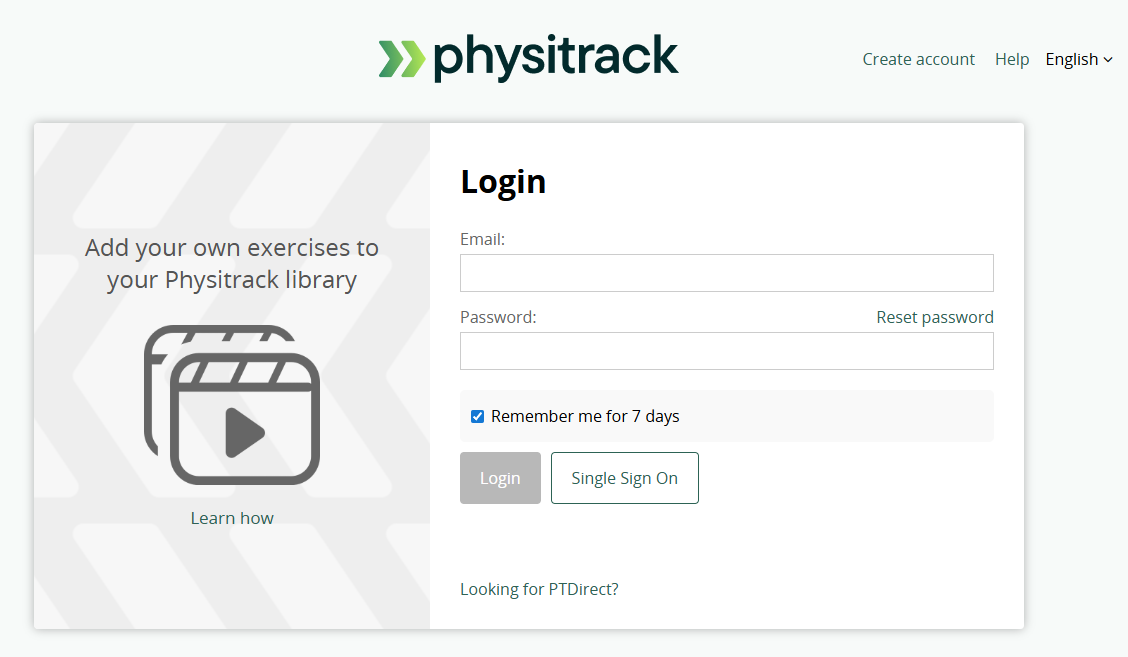
New admin login - You will then log in to PT Direct via Physitrack’s authentication (single sign-on style).
-
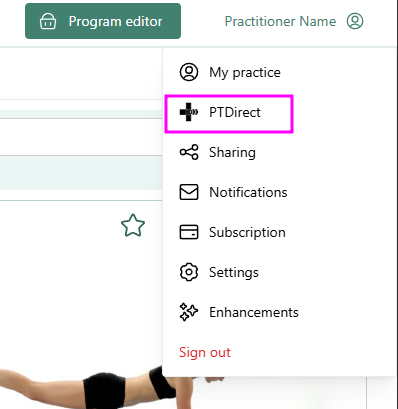
If you have both an admin and a practitioner role, you will log in to your practitioner role by default. To change over to the PT Direct, just click your name in the top right and select "PT Direct".
Benefits / Rationale
- Easier user experience: no more juggling separate logins
- Seamless switching between Physitrack and PT Direct
- Simplified account management for organisations
- Potentially stronger security (centralised auth, unified password rules)
Login links
The login pages are:
- https://au.physitrack.com/login
- https//ae.physitrack.com/login
- https://nz.physitrack.com/login
- https://ie.physitrack.com/login
- https://uk.physitrack.com/login
- https://de.physitrack.com/login
- https://fi.physitrack.com/login
- https://fr.physitrack.com/login
- https://nl.physitrack.com/login
- https://es.physitrack.com/login
- https://ca.physitrack.com/login
- https://us.physitrack.com/login
- https://br.physitrack.com/login
- https://it.physitrack.com/login
- https://pl.physitrack.com/login
- https://id.physitrack.com/login
- https://se.physitrack.com/login
FAQ & Troubleshooting
Q: What if I forgot my password?
A: Use the “Reset password” / “Forgot password” link on the Physitrack login page. (As now that is your unified login.) Guide: Reset your Physitrack password
Q: I can't access my Physitrack account to assign exercises
A: Make sure you have "Practitioner Access" enabled to ensure you have an assigned Physitrack license. Guide on how to check this: Add and remove practitioners in PT Direct
Q: My colleague can't access PT Direct
A: Make sure that said colleague has been assigned PT Direct admin access: Adding admin users to PT Direct
Additional Support & Contacts
- If you need help, contact us at: support@physitrack.com
- See our general PT Direct support articles: Introduction to PT Direct, Add / Remove practitioners in PT Direct, etc. PT Direct support page