Comment activer l'authentification biométrique PhysiAssistant
L'authentification biométrique vous aidera à sécuriser votre compte et vous évitera d'avoir à utiliser constamment votre code PIN pour y accéder.
Comment activer
- Connectez-vous à PhysiAssistant avec vos identifiants Physitrack.
-
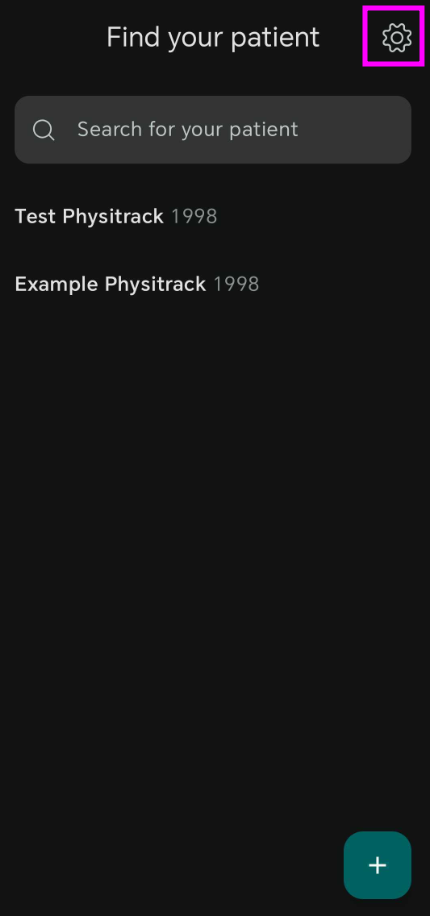
Sélectionnez la roue dentée dans le coin supérieur droit.
-
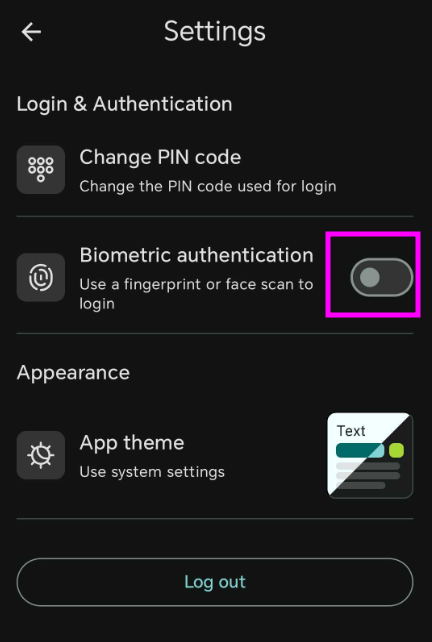
Sélectionnez « Authentification biométrique » pour l'activer. Vous serez invité à scanner votre empreinte et l'authentification sera activée.