
Transferring practitioners between PT Direct accounts
If a practitioner account needs to be moved from one PT Direct account (or subaccount) to another, follow the steps below. Please do note that if the practitioner has patients associated with their account, these will be moved along with the practitioner account unless transferred first to another practitioner within the PT Direct account.
Transferring practitioners from one PT Direct to another
- The PT Direct admin who has access to the Users section on the PT Direct account where the practitioner is located initially logs in to PT Direct.
- Opens the User tab
-
Locate the practitioner who is to be transferred.
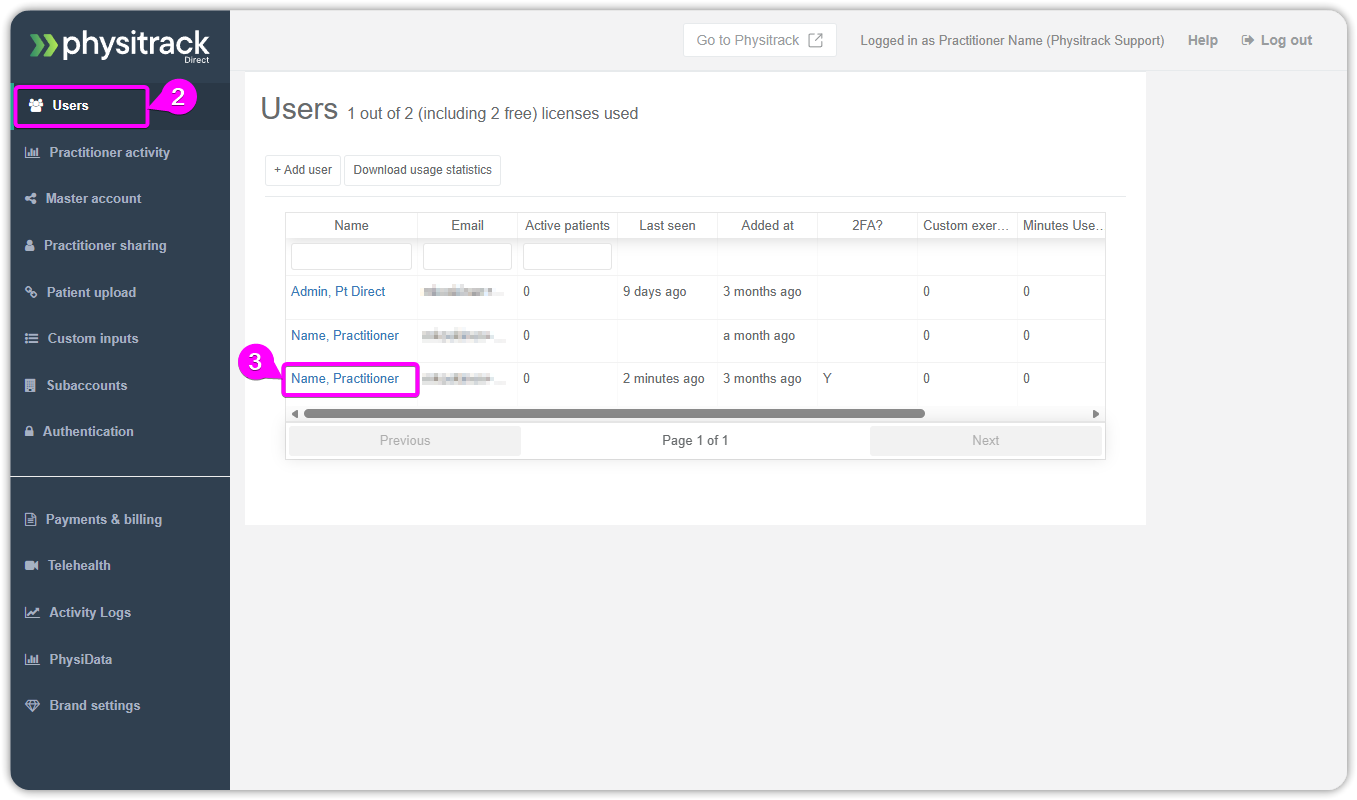
In this step, the patients and uploaded content can be transferred to another practitioner or left on the account.
-
Remove the practitioner from the account.
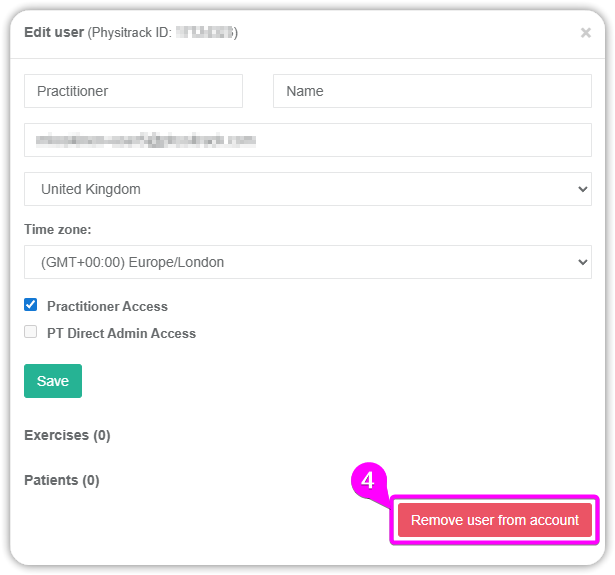
Now that the practitioner has been released from the original PT Direct, it can be added to the new PT Direct.
- Admin on the new PT Direct needs to log in to the PT Direct console.
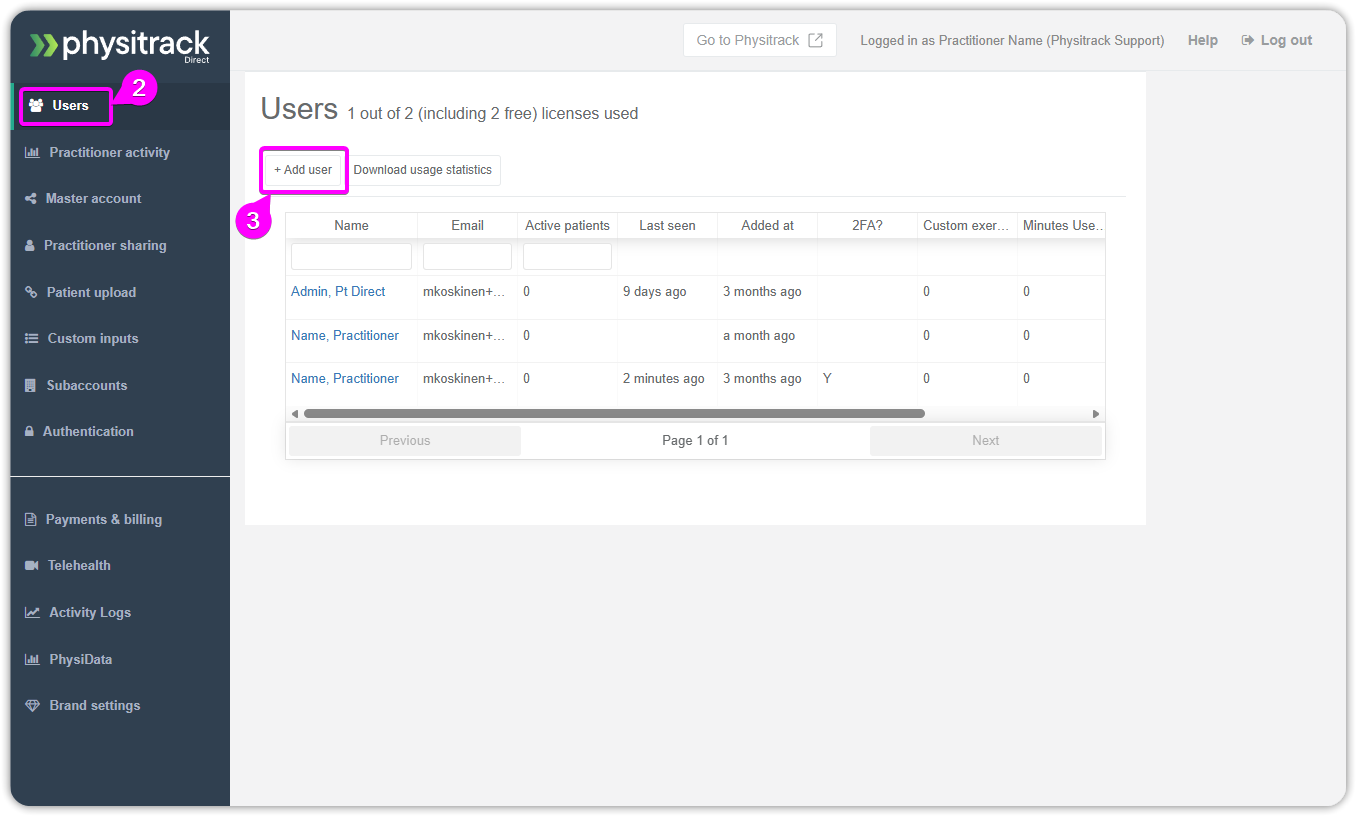
- Open the Users tab
-
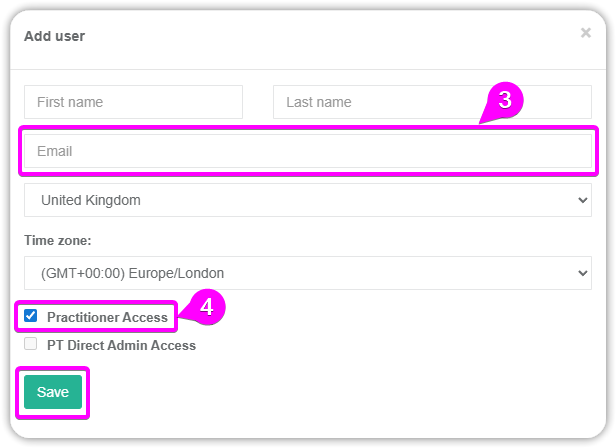
Add a new practitioner using the same email address associated with the practitioner's account in the original PT Direct account. The name field can be left empty as the account already has a name for it.
-
When adding the practitioner, remember to grant "Practitioner Access" on the account so the practitioner can log in and start using Physitrack.
- The next time the practitioner logs in to their account, they will see a notification pop up requesting acceptance of the invitation to the new PT Direct. The user is not fully added before they accept the invitation.
